Showing posts with label MP3. Show all posts

Hot Tuna: Acoustic & Electric Celestial Blues

Hot Tuna's story is
an interesting one. Guitarist Jorma Kaukonen, having secured a position
with a new group, Jefferson Airplane, called back east to his high school friend, Jack Casady, in the hope of finding a bass player. Casady assured him he was the man for the job, and, after hanging up the phone, Kaukonen hoped Casady wouldn't embarass him once rehearsals began.

Not only did Cassidy provide the bottom to the Airplane's sound, he went on to play with other noted musicians of the era. That's Casady's thundering bass opening up Voodoo Chile from Hendrix's Electric Ladyland (with Steve Winwood on keyboards), the two having first met at 67's Monterey Pop Festival where they jammed backstage for hours.


Free! Listen to Water Song
in its entirety. Download it here (99¢).

The first Hot Tuna date was simply a diversion for Kaukonen and Casady, neither having any idea that it would lead to a collaboration that has far surpassed anything the two could have achieved with the Jefferson Airplane. Thankfully that original acoustic set was recorded and is still one of our favorites, much of the Hot Tuna songbook being timeless. And if you were put off by the addition of violinist Papa John (S)Creach, fear not—he appears on only two Hot Tuna releases.

We wanted to play a style of music that
wasn't being played by the Airplane.

Jack Casady interview

Floydian Slips finally caught up with Hot Tuna at the “Salty” Gebhardt Amphitheatre in Truckee, CA, an idyllic outdoor venue. (Have you ever wondered where all of the tie-dyed flower children went?) With Barry Mitterhoff on mandolin, the group played a terrific acoustic set before sundown. After dark, everyone plugged in (crowd inclusive) as drummer Erik Diaz joined in. The rest of the evening we were treated to some rockin', Casady's bass notes
r-r-r-rumbling up through our feet as we danced (we kid you not).

Then there's the DVD, Electric Hot Tuna—Live At the Fillmore, recorded in 1996. This is also a great set, with Pete Sears joining the tunas on keyboards. Worth your while, this listener was left wanting for much more bass response, Casady seemingly turned down in the mix.


Wolfgang's Vault - Reissue

Various Hot Tuna lineups continue to tour almost 40 years and 27 albums after the group's inception. Both musicians also have numerous other projects: Kaukonen has yet another new solo album out and Casady occasionally appears with the group, Moonalice (get free MP3s at the group's website). Yet somehow both find time to provide lessons at Kaukonen's Fur Peace Ranch (Pomeroy, OH) which doubles as a concert venue for many artists. Tune in here at 7:00 pm Eastern time to listen to Friday night's performance.

Dedicated fans may also purchase complete shows in MP3 format from this Hot Tuna download site.


Rock Stars, Cars and Guitars

Ever since baby boomers go their wheels, music and cars have been inextricably mixed. One needs to look no further than the popular film, American Graffiti, to get a feel for how it was back in the early ’60s.

The music acts like a Greek chorus to
comment on the events taking place.

Walter Murch, sound artist

Top 40 music buffs recall some of that era’s songs which centered on cars: Little GTO by Ronny and the Daytonas, Mustang Sally from Wilson Pickett, Hey Little Cobra by the Rip Cords, and Little Deuce Coupe, offered up by the Beach Boys. Who doesn’t know what the Little Old Lady From Pasadena drove, that “she’s real fine, my 409,” what happened at Dead Man’s Curve, or that Chuck Berry got his kicks on Route 66 (when he wasn’t holding a seat belt vendetta)? You’ll recall that the Beatles told us that their baby could drive their car and even Geronimo had a Cadillac.

On Woodward Avenue, the world’s longest eight-lane urban highway, John DeLorean and Bunky Knudsen were surreptitiously sending out Detroit’s factory muscle cars to go head-to-head. Hurst shifters aside, one also had to be quick on the radio punch buttons when an ad interrupted the soundtrack of our lives (unless it was Ray Charles’ What’d I Say promoting Connie "The Bounty Hunter" Kalitta going wheel-to-wheel with Don “Swamp Rat” Garlits at Detroit Dragway).

Since 1995, August’s Woodward Dream Cruise is the world's largest one-day celebration of classic car culture that attracts over 1 million visitors, and more than 40,000 muscle cars, street rods, custom, collector and special interest vehicles.


Over at Motown, hits were mixed to sound best when played back through the single cheap speaker mounted face up on the dashboard.

Leading us into the psychedelic era, Steppenwolf went looking for adventure by heading out on the highway, the Doobies were rockin’ down it, Deep Purple had a Highway Star, and Canned Heat was On the Road Again. George Thoroughgood spent Six Days On the Road, but Jeff Beck was stuck in a Freeway Jam and poor ol’ Jimi was frustrated with Crosstown Traffic (at least he wasn’t Running On Empty like Jackson Browne).

Now through Sept. 7 at Dearborn’s Henry Ford Museum—Get ready for a second dose of rock—more than 20 eye-popping cars and 50 iconic guitars from rock's greatest legends, and a dizzying array of rock memorabilia. Click here to download a compilation of musical hits by artists featured in the exhibit.

We all know the color of Prince’s Corvette and that Golden Earring had a strange radar fetish. Steve Miller had the Mercury Blues, the Eagles an Ol’ 55 and lived Life In the Fast Lane, while Sammy Hagar couldn’t drive 55. War cruised around in a decked-out Low Rider, Janis wanted a Benz, Broooose a Pink Cadillac, and all the while Commander Cody warned that he was going to be driven to drinkin’ if we didn’t stop driving that hot…..rod…..Lincoln!

Maximizing (Non-iPod) MP3 Player Capability

Many people, including me, were enjoying MP3 players long before "iPod" became synonymous with any portable device that plays compressed digital audio files. My first player was a CD clamshell player-sized unit from Creative Labs. At the Tom's Hardware website I quickly learned how to replace its original 20MB harddisk with a drive having twice that capacity. And it being a first-generation device not without an occasional problem, from eBay I was able to buy inexpensive spares to keep my unit—and those of friends—functioning.

Anyone who knows me knows that I'm not an Apple fan, primarily because the company has long had a policy of über-control over anything that bears the company brand. While that has certain advantages in relation to computer operating systems, it doesn't do much for those given to customization. There are other reasons, too, why there is a community of like-minded folks who won't have anything to do with Apple, just as there are those who aren't fond of Microsoft. But back to MP3 players...

J&R Computer/Music World

The Anything But iPod website is run by like-minded individuals; I've been a fan of this website for years. As the name implies, everything here is about all of the other personal media players (PMPs) on the market. For example, check out their MP3 Player Buyer's Guide. Anything But iPod dedicates itself to PMP news, reviews of players and ancillary gear such as headphones and amplifiers, and even hardware hacks for the do-it-yourselfer.

Back in the good ol' days, there were two things that excited me most about listening to great radio stations such as Detroit's WABX (the station that glowed in the dark). The first was their dedication to playing music from multiple genres in a seemingly random, but well-coordinated manner (this is what Radio Paradise does on the Web). Today just about all PMPs have random—or shuffle—capability, and it's rare that I ever switch to sequential playback mode.

The second feature—crossfading—seems to be far more elusive to most PMP manufacturers. Known as a segue in my own radio days, this is how 'ABX would paint a musical dreamscape, perhaps starting with a selection from Paul Horn's Inside the Taj Mahal, blending into a portion of Peace Two from John McLaughlin's My Goal's Beyond, into Lower Egypt from Pharoah Sanders' Tauhid album, and concluding with a portion of an early Pink Floyd instrumental.

A good segue would...build an idea just as a writer would build on a compositional theme...The FM free-form DJ was carefully selecting each record to...[build] on emotions or themes…

David Benders, WBFO Program Director

Switching to an HP Rx3715 pocket PC (PPC) that I had purchased as a glorified remote control for my home entertainment system, it soon became my PMP of choice with the addition of Conduits Technologies' excellent Pocket Player application. Although not as adventuresome as having "Air Ace" Dave Dixon hand-select audio segments in his unique style, this was a great answer to my desire for MP3 crossfading! (I might still be enjoying this unit had not its headphone jack gerfritzen das springenwerk).

Enter
Rockbox. All open-source code, a dedicated group of hackers (hackers = good, crackers = bad) have created numerous, free downloadable firmware alternatives for many PMPs, such as the first-generation Sansa series players. And guess what? One of the key features of Rockbox is the ability to crossfade tracks. Heck, they even have some firmware replacements for selected iPod models!

Napster vs. Metallica: Music Industry Redefined

The following is an excerpt—reprinted here by permission—from Greg Kot's new book, Ripped: How the Wired Generation Revolutionized Music (Scribner, $25). They being long tired of homogenized corporate radio playing the same twenty hits (Hotel California, anyone?), "it tells the story of how the laptop generation created a new grassroots music industry, with the fans and bands in charge."

Herein Radiohead reinvents the way in which it distributes music directly to its fans:

Whenever he considered the possibility of Radiohead going into business for itself, guitarist Jonny Greenwood got a little queasy. “It makes me think we’re gonna be sitting in endless business meetings talking about how to do it off our own backs, rather than sitting in studios recording music.”

But Radiohead was genuinely unsettled by what it saw as the major labels’ inability to adapt to the marketplace. The long lag time imposed by the majors between finishing an album and actually releasing it to set up a proper big-budget marketing campaign was particularly irritating. The band appreciated that its fans were almost ridiculously vigilant. As soon as word would get out that Radiohead had finished working on an album, the Internet began to buzz with anticipation. A leak of the new music would inevitably follow, and Radiohead fans were soon sharing the music and debating its merits. Inevitably, Web sites would jump in with their critiques of the still-unreleased work. It was flattering and yet frustrating for the band; increasingly, they sensed the problem was not with the fans, but with their label’s inability to keep up with how fans were consuming music.

By the fall of 2007, Radiohead had a new album ready to go, but still hadn’t pulled the trigger on any kind of record deal. It decided to release the album anyway, through its Web site. On Oct. 1, Jonny Greenwood posted a terse announcement on radiohead.com: “Well, the new album is finished, and it’s coming out in 10 days. We’ve called it In Rainbows.”

Wolfgang's Vault - Reissue

So much for the big marketing plan. In the land of the major labels, Greenwood would’ve been drummed out of the public-relations academy for his utter offhandedness. For an artist of Radiohead’s stature, it was customary for a big label to plot out the details of an album release months in advance, to line up shelf space at retail stores, programming at commercial radio, and full-page ads and interviews in Billboard, Rolling Stone, and the usual print-media suspects. But for the first time in its existence, Radiohead had no such constraints. It could now effectively function as its own record company, record store, and distribution service rolled into one—at least temporarily. So Radiohead instructed its fans that on Oct. 10, it would provide an access code to a digital download of the new album to any customer willing to part with an e-mail address.

The price was left to the customer’s discretion, the virtual equivalent of a giant tip jar.

Continued...
“It’s up to you,” the checkout screen read for preordering the ten-song disc.

Do not insult Death Cab.
Also available to order was an expanded, physical version of the album, to ship two months later. Priced at the U.S. equivalent of $81, it would include an 18-track double album packaged in both CD and vinyl versions, with lyrics, artwork, and photographs in a hardback book and slipcase.

Radiohead’s distribution strategy for “In Rainbows” reduced the decade-long debate over Internet downloading to a single, deceptively simple question: “What’s this piece of music really worth to you?” It was a question that respected the intelligence of the potential buyer, a question that bristled with moral, ethical, economic, and aesthetic considerations. And yet it was a question that could be answered with a simple mouse click, in prices ranging from $0.00 to $99.99 (the order form didn’t accommodate three-digit dollar figures).

It was a brilliant move made even more potent by its timing. Only a week before, a federal jury in Minnesota had awarded the record industry a $220,000 judgment against Jammie Thomas for the crime of downloading 24 copyrighted songs and making them available for file sharing. Thomas was hardly alone. At the very moment her verdict was being read, more than 9 million consumers were sharing music files around America, according to media management company BigChampagne.

As one of the more marketable names in the business, Radiohead was in a position where it didn’t have to give away anything. It had the cachet to charge $10 or more for its music, and rest assured that most of its fans would gladly pay. But it clearly wanted no part of a music industry that labels its own customers as thieves. By declaring, “It’s up to you,” Radiohead made it clear whose side it was on.

The Internet exploded with Radiohead-related chatter. In the three days after the announcement, blogpulse.com, a search engine that reports on daily blog activity, showed more than a 1,300 percent increase in the number of posts mentioning the band.

The behind-the-scenes mechanics of the deal were intriguing, all the more so because Radiohead really wasn’t interested in talking about them—perhaps because it might’ve appeared unseemly to gloat. The band stood to profit handsomely from any paid download. What’s more, they didn’t have to share the money with any middlemen.

Journalist Greg Kot, whose previous work includes Wilco—Learning How To Die, writes a blog for the Chicago Tribune. Read the entire Radiohead excerpt, and Greg's other posts, at Turn It Up—A guided tour through the worlds of pop, rock and rap. Floydian readers may also be interested in this earlier post about Radio Paradise, the best thing to happen to multi-genre music listening in the public realm since WABX, the station the glowed in the dark. Oh, yeah....Radio Paradise plays both Radiohead AND Death Cab For Cutie!

Audio Editing: From Razor Blades To Cut 'N' Paste

Regardless of any audio editing software you may try, these applications pretty much function the same way. Through simple trial and error, in no time you’ll soon be amazed by your newly-acquired power over your music collection or original audio recordings. Creating your own medleys is just one idea.

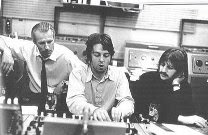
It wasn’t always this easy. As a teen in 1968, it was through being a Stereo Review subscriber that I learned how to edit ¼" audio tape using a slicing block and a razor blade. Knowing my penchant for electronics, my best friend asked if I could help him put together a soundtrack for a multimedia project he had taken on for his humanities class. I had a monaural Wollensak (3M) tape recorder but, knowing that this project would need more capability, I borrowed a Sony stereo deck. It had sound-on-sound (a recording technique invented by Hall of Fame guitarist Les Paul to allow pseudo-multitracking)—a technological advancement relatively new to the home market. Not having the foggiest that famed producer Sir George Martin and engineer Geoff Emerick had used this same technique to record the Beatles’ Rubber Soul, Revolver, and Sgt. Pepper’s Lonely Hearts Club Band (on a lowly four-track machine, no less!), I “bounced” audio snippets from machine to machine and spliced tape segments until we had a compilation about which my friend was well pleased. (Of course, his teacher had no comprehension regarding the ingenuity and creativity we poured into this term project.)

Wanting to become a rock DJ like those at trendsetting WABX and WKNR-FM I had emulated, off I went to Specs Howard School of Broadcast Arts after high school. All the while I dabbled in amateur audio production at home to amuse friends and myself. Meanwhile, another buddy—a highly-proficient rock guitarist who played in a covers band—had taken a recording engineer position at Ron Rose Productions. I’ll never forget one visit there after hours when I got to try a new effects gizmo that made me sound like Darth Vader! Today this same effect can easily be achieved through software.

Wolfgang's Vault - Reissue

Fast forwarding to today’s world of digital audio, when you rip a CD to your computer using software such as Windows Media Player, the result is an easily-editable WAV file—no more razor blades! Relatively easy to learn after a few minutes of trial and error, Syntrillium Software’s CoolEdit became the leading amateur tool of choice. (The company since acquired by Adobe Systems and the product renamed Audition, I almost took a testing job at Syntrillium in 2001.)

Later picking up a copy of Sony Sound Forge, with it I was able to easily able to edit Echoes, from Pink Floyd’s Meddle release, to remove a section I find unnerving. (Interestingly, a similar edited version appears on the group’s Best of CD that borrows this song’s title.) I also did the same with a Soft Machine favorite, Slightly All the Time, to get a better fit as one of the backtimed (a recording technique of cueing up a musical background to a voice track so that the music ends simultaneously with the voice-over) soundtrack choices for a Ken Burns-style vacation DVD I created a few years ago.

If the playback device is to be your MP3 player, once you’ve edited your WAV file it’s then a simple step to convert it to MP3 format using any one of a number of tools. Nero is but one popular choice for this task because many PC vendors provide it in the included free software bundle.

Audacity—an open-source editor—has become very popular with podcasters because it’s free and is well-supported by its devoted user community. YouTube even has many tutorials, such as this example on basic editing, to get you started. Even for those using another WAV editor, you may find these tutorials useful in that the principles are quite similar for most audio editing software.


Happy editing!

Increase Remote Control Range w/ IR Adapter

Beam Me Up, Scotty

I've been meaning to write about a device I recently purchased for some time. Readers of this blog know that I have a three-zone, 'Net-enabled stereo that permits listening to Radio Paradise, or MP3s from my media server, all over the house. And on the patio.

It was a bother, however, to have to dash inside all the time to either adjust the volume on the patio speakers, change a music source, mute the audio, or any other function. Installing an outdoor volume control would have helped some (and was my original plan), but doing so wouldn't answer the other requirements. Plus, such a control would mean having to get up, or run over from wherever, to manually adjust the volume up or down.

Thinking ahead, I set up the patio speakers on their own separate "slave" amplifier—designated zone 2—with the slave getting its audio feed via a stereo RCA cable to its CD input from the master Yamaha RX-V2700 home theater receiver. And Yamaha was thoughtful enough to include a second remote control that is easily switchable between zones 2 and 3. So far so good, but the zone 2 remote wouldn't work very well from out on the patio due to its native infrared (think line-of-sight) signal.
Looking for a viable solution to extend the distance at which at the controller would function, and simultaneously eliminate the inherent limitations of infrared (IR), a quick Google search led me to Smarthome.com. There I found an adapter (SKU 80451) that, for under $50 (online price), turns any IR controller into a radio frequency (RF) transmitter, sends that signal to a supplied RF base unit (pictured above), then converts the RF back to IR for the short jump to the audio receiver. Smarthome's kit includes everything you need, whether your IR controller accepts AA or AAA batteries.
Now I can control audio outdoors, including instant mute should the phone ring or a service person need to ask a question—at any angle, through the walls, from about 100' away from the base!

The only drawback is that the adapter could benefit from a better set of instructions (a subject close to home, as I write instructions for a living). Though I'm very intuitive around gadgets and can eventually interpret instructions written in Engrish, even I fumbled around for awhile before figuring out how to set it up. So here's the scoop: The cylindrical transmitter, in conjunction with a small rechargeable battery, takes the place of a single battery in your IR controller. The supplementary battery is to be placed within the adapter's base so as to be fully recharged when the first one poops out. Plugged into an AC socket, the base is to be positioned in such a way that its window (from which the IR signal emanates) faces the audio receiver's own IR sensor.

You do not need to buy this particular adapter—there are others on the market. My purpose is to cause you to be aware that a solution does indeed exist to IR line of sight and distance issues. That said, I can attest that this adapter functions well and it was a pleasure doing Internet commerce with SmartHome. Since receiving their catalog along with my order, I've since found several other gadgets that look like they'll solve problems we face, such as knowing for certain whether we've left the garage door open during the course of a day.

Note: Additional adapter base units are available separately for multiple zone use.

Your Own Touchscreen MP3 Jukebox

Ever thought about creating a touchscreen jukebox for your MP3 collection? It's doable!

For this project, first you'll need copies of MusicLobby3, MainLobby3, and MLServer3 from Cinemar. These all reside on top of J. River MediaCenter, so you'll need that, too. Fortunately, you can make your purchase in one place, that being Cinemar's website.

Now you need a touchscreen, so look no further than ELO—the monitor folks, not the rock group! With a bit of luck, you may find a used one on eBay at a great price, as I did, but bid wisely! (Disclaimer: The author accepts no responsibility for eBay ripoffs, defective merchandise, and the like. Caveat emptor.)

What's left? Oh, yeah—the box itself. Here you can let your imagination run wild, only to be reeled in by limited personal fabrication skills and/or disposable income. For inspiration, I suggest these, with my personal favorite for a living room application being the Seeburg Selectophone (pictured at right).

Touchscreen jukebox or no, J. River's MediaCenter is an excellent all-in-one software package for those readers (like me!) having very large music collections. Hook your media server video output to your widescreen TV, load up a groovy MediaCenter visualization scheme, turn out the lights and...WHOA! Like it says in my profile—who needs Owsley? Now if only MediaCenter included a karaoke option...

I leave it to you to download your own MediaCenter 30-day trial version and check it out for yourself. Also note that Cinemar offers MusicLobby PPC, whereby you can remotely control your MusicLobby-enabled media server from many Pocket PCs (mine is a HP iPAQ).

Add an MP3 Playlist To Your Website!

Here's a cool trick to play MP3s on a web page. The idea is that any time a surfer accesses the page, or performs a forced refresh (Ctrl+F5 in Internet Explorer), a different audio track is selected at random.

(Note: For those of you who know your way around M3U playlists and such, you may question the following methodology. Trust me when I report, after much testing, this was the only way I could get a MP3 to be consistently chosen at random.)

Overview—Let's say you've created a vacation page called Coastal Trip that contains both text and photos. For optimal organization, it's a good idea to create a subfolder, called Images, one level below the folder you've created for the CoastalTrip.html file. Similarly, it's a good idea to create another subfolder, named Music, in which to store the M3U playlists and their corresponding MP3 files. This is all done within your FTP utility software; the one I use is the free WS_FTP Lite. (Note that web page design applications such as Dreamweaver have FTP built-in.)

The Playlist—For each MP3 you want to include in your random playback, create a M3U playlist in any ASCII text editor. Notepad works just fine for this. Through experimentation, I discovered it's best to include the MP3's full URL (where it will reside on your Internet host server once you upload it), i.e., http://{your domain}/CoastalTrip/Music/{track_title}.mp3. A sample playlist, perhaps taking the name Hippolyte.M3U, looks like this (indentation for illustration only):

http://{your_domain}/CoastalTrip/Music/Hippolyte.mp3
Create additional M3U files, one for each MP3. To complete this phase, you should now FTP (upload) each M3U playlist and corresponding MP3 file to the Music subfolder on your Internet host site.

The Magic Code—Now you have to add some magic JavaScript code I lifted somewhere off the 'Net. Code it just as you see it here, inserting it immediately after the BODY tag in the HTML code of your CoastalTrip.html page.

<!--embed src=http://{your_domain}/CoastalTrip/Music/Unto_the_Burning_Circle.m3u autostart="true"type="audio/mpeg" / width="0" height="0" loop="true"-->

<script type="text/javascript">

var sound=
[
"./Music/Unto_the_Burning_Circle.m3u",
"./Music/Dancing_with_the_Lion.m3u",
"./Music/Hippolyte.m3u",
"./Music/Dance_of_the_Masks.m3u",
"./Music/Pearls_Tears.m3u",
];
var soundFile = escape( sound[ Math.floor( Math.random()*sound.length ) ] );
document.write ('<EMBED src= "' + soundFile + '" hidden=true type="audio/mpeg" autostart=true loop=true>')

</script>
Note: Regarding the ./Music/ portion of the M3U file paths, the ./ is a bit of programming shorthand that instructs the browser to look for something within a Music subfolder, one level below the present folder. So if your CoastalTrip.html page resides in the CoastalTrip folder, oddly enough, the browser will look in the path CoastalTrip/Music. Experience the results of my coding by making sure your sound is engaged and clicking here.

So there you have it. There are other ways to include music on a web page, but playing a random track is a horse of a different color. And there are other examples of random playback scripts on the 'Net, but this is the only one I found that actually worked. Enjoy!

Audio Gear: Yamaha Home Theater Receiver

Since August the wife and I have been engaged in a 100% top-down remodel while we live amongst the chaos. Tearing the family room down to studs enabled me to install a 7.1 surround sound system, with in-wall speakers and cabinets furnished by Polk Audio. The fronts are Polk LSi7 series speakers, coupled with the biggest, baddest subwoofer Polk offers, the PSW505. Well, OK...it's the biggest and baddest for my price range, their PSW1000 being beyond my reach. (I did have to buy other gear, ya know!)

The star of the show, though, is the new Yamaha RX-V2700 A/V receiver with power to spare, full network capability built-in, and a USB port on its front panel. Slip in any flash drive or flash player loaded with MP3s (or WAVs, what-have-you), and the Yamaha plays them back in series or at random. Attach a large capacity external USB hard drive holding your entire collection, the drive formatted as FAT32, and you never have to fumble with another CD, cassette, or LP ever again! And just for you iPodders, Yamaha sells a compatible docking station.

The Rx-V2700 includes technology to enhance MP3s, "filling in" those lost bits heard in the original format of your songs. Couple that with 7.1 enhanced stereo (the thing is magic, I tell you) and you won't believe just how fantastic your MP3 collection sounds!

Even cooler is how, via DHCP, the Yamaha so easily found its home on my network and discovered the cable Internet connection. (No chocolate mess!) Using the adjacent TV as its display (HDMI), it's a pretty simple matter to navigate 'net radio stations located all over the world and of just about any genre. I was initially concerned that my favorites, Radio Paradise (RP) and KXJZ, would go missing but—lo' and behold—they're listed among the hundreds of choices. Even the wife got excited when I sampled a highly-listenable Christian channel this past Sunday, and she clearly enjoyed hearing The Mavericks (!) on RP tonight (that's just how eclectic RP can be).

The feature I haven't been able to test is the unit's ability to interface with my homebuilt, 1TB RAID5 media server where my MP3 collection resides. This is because the RX-V2700 doesn't support UPnP at this time (c'mon, Yamaha!), instead relying on Windows Media Connect to stream audio from my server. And, of course, the latter requires Windows XP to which I haven't yet migrated my big box. (The unopened OS package is somewhere out in the garage, a.k.a., storage central).

Now, if I could just get the Yamaha and the HP DLP TV to directly interface with J River's Media Center 12...